A predictable cash flow gives you options. Options give you peace of mind.
Whether you are just starting out, nearing retirement or already retired, see where your cash flow is heading, today and for years ahead. Enter your income and expenses once, and plan with confidence.
No bank loginPrivate on your PC, or encrypted in the cloud
Powerful features, pleasantly simple
EASY TO SET UP
Up and running in three easy steps
No spreadsheets and no itemizing every coffee. Easy to set up, easy to use.
1
Add your balanceType what is in your account today.
2
Add income and billsThe regular things: pay, rent, utilities.
3
Watch the forecastSee the line, the lowest point and warnings.
YOUR MONEY, YOUR WAY
Keep it private or access from anywhere, your call.
Choose Windows and everything stays on your own computer, offline. Choose Web and reach it from any device, encrypted on our servers. Either way: no bank login.
🔒 Private on your PC, or encrypted in the cloud
💻
Windows: on your computerYour numbers stay on your PC, encrypted, and work offline.
☁️
Web: anywhereReach your forecast from phone, tablet or PC, encrypted on our servers with two-factor sign-in.
🔒
Locked down either wayNo bank login, and you can download all your data whenever you want.
THE FORECAST
See where your cash flow is heading
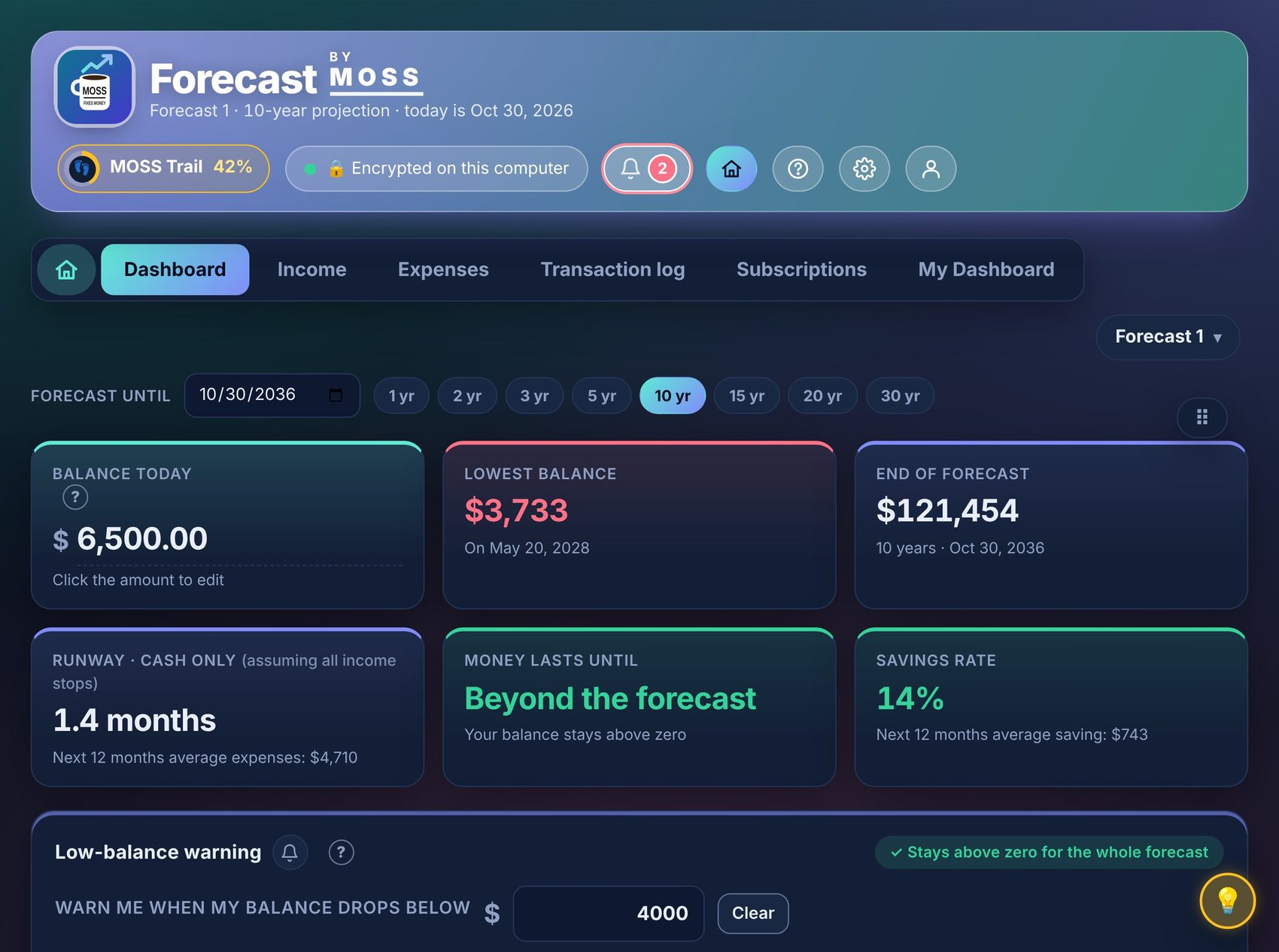
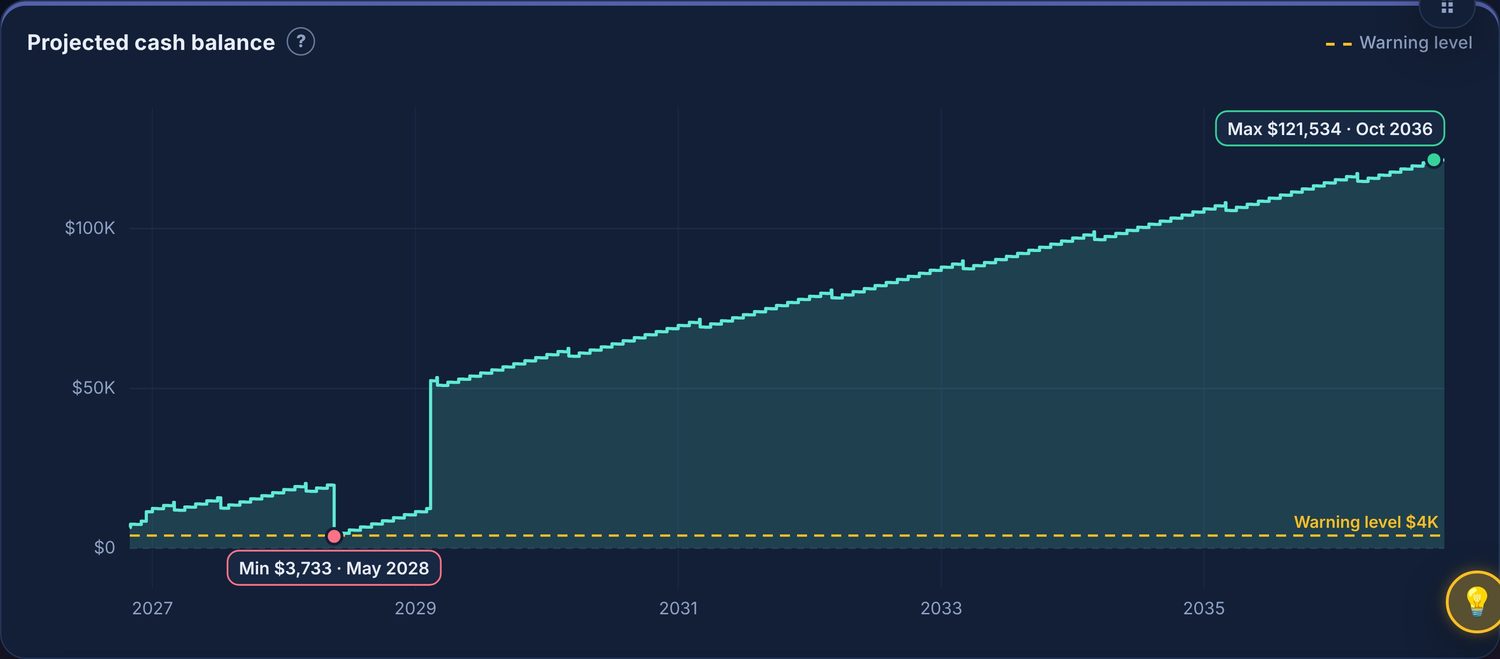
One clear line from today to years ahead. Your lowest point and your highest point are marked for you.
CUSTOMIZABLE LONG-TERM
Forecast from 1 year to 30 years
Pick any end date on the calendar, or tap 1, 2, 3, 5, 10, 15, 20 or 30 years. See your whole road ahead, not just next month.
WHAT IF
Try “what if” scenarios on your long-term forecast
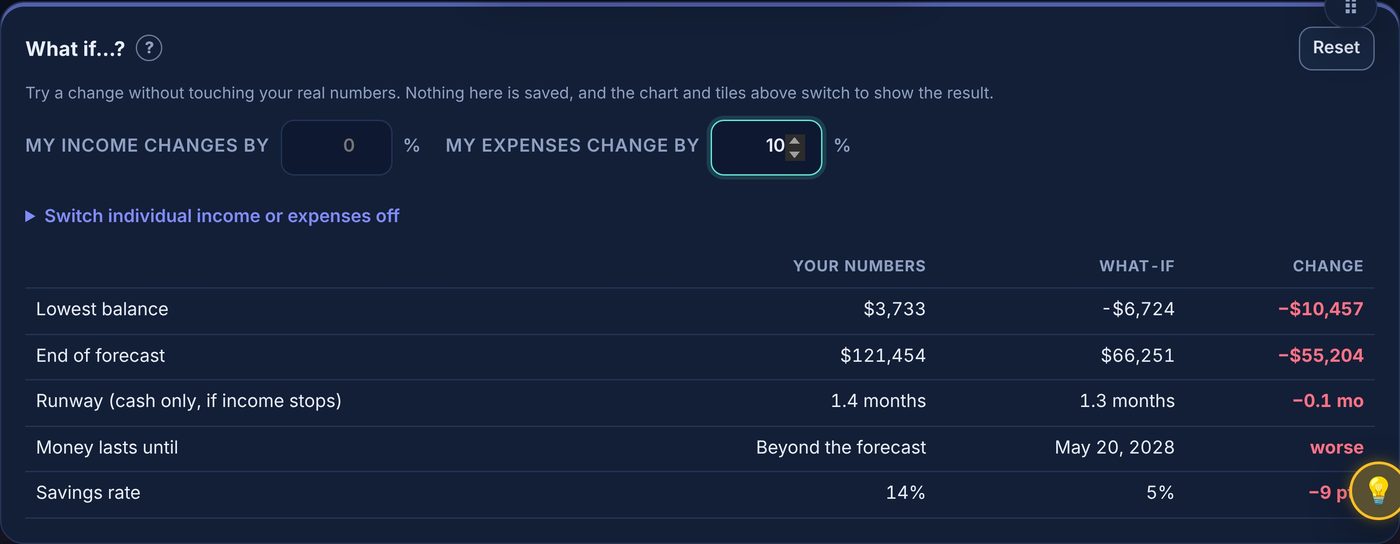
See what a raise, a new car payment or a cancelled subscription does to your balance years from now. Play in the Sandbox with made-up numbers, and nothing is saved.
LOW-BALANCE WARNING
Know before money gets tight
Choose the lowest balance you are comfortable with. The forecast shows every stretch where you would fall below it, and the bell can warn you days ahead, so you can act early.
MY DASHBOARD · PREMIUM
Build your own dashboard
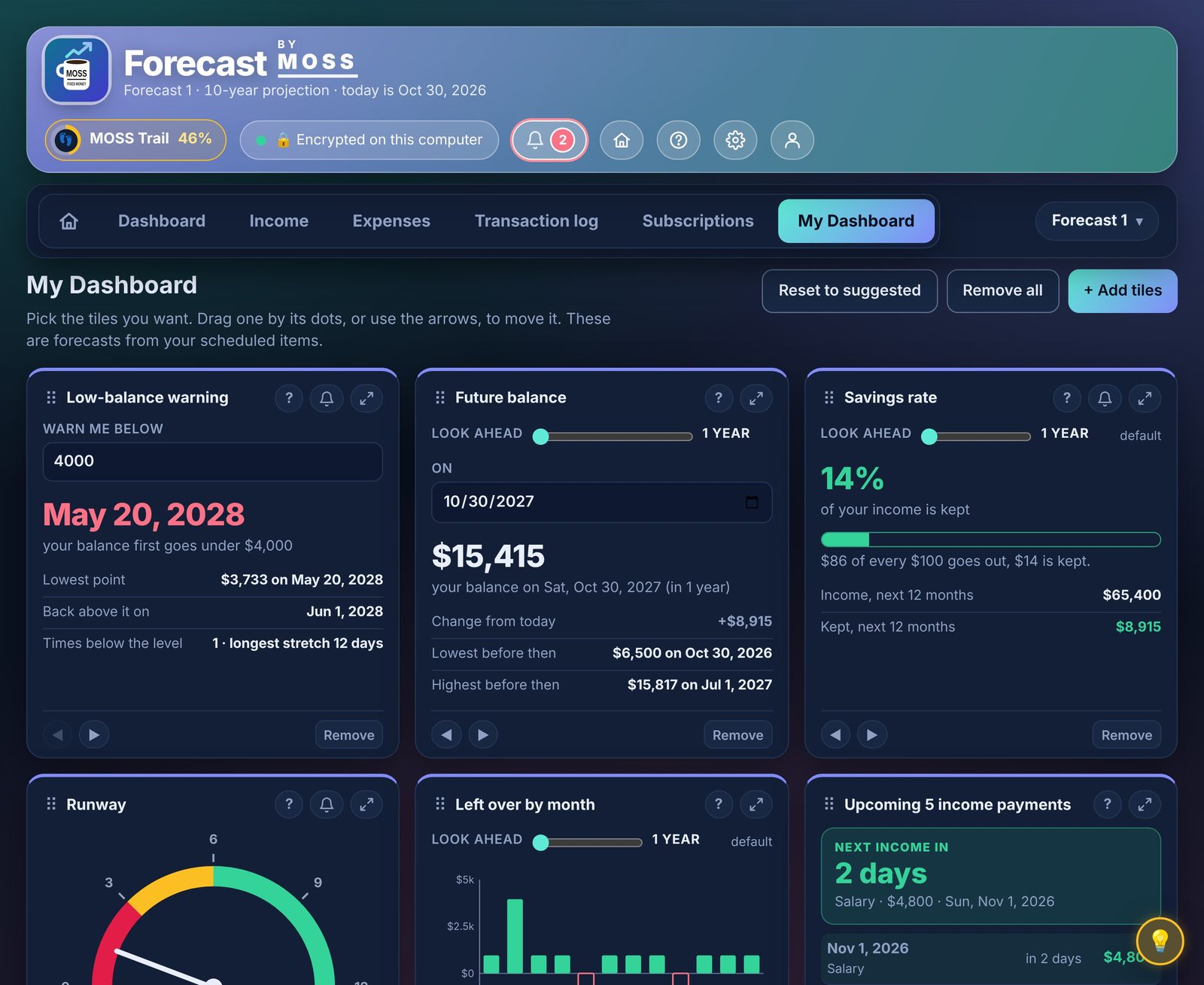
Pick from 30+ insight tiles: future balance, savings rate, what-ifs, the earliest date you can afford something, planned vs actual. Set alerts, look up to 30 years ahead, and star your favorites.
MULTI-CURRENCY
Earn in one currency, spend in another
Pick your own base currency, then enter any income or expense in the currency it really comes in. Everything is converted for your forecast.
🌍 Any currency, one clear forecast
💱
Any currency per transactionSalary in CAD, rent in USD, a trip in EUR. Each one keeps its own currency.
🔄
Rates fetched for youExchange rates update automatically, or type your own rate any time.
🔌
Windows works fully offlinePrefer no internet connections at all? Use offline mode and enter the rates yourself.
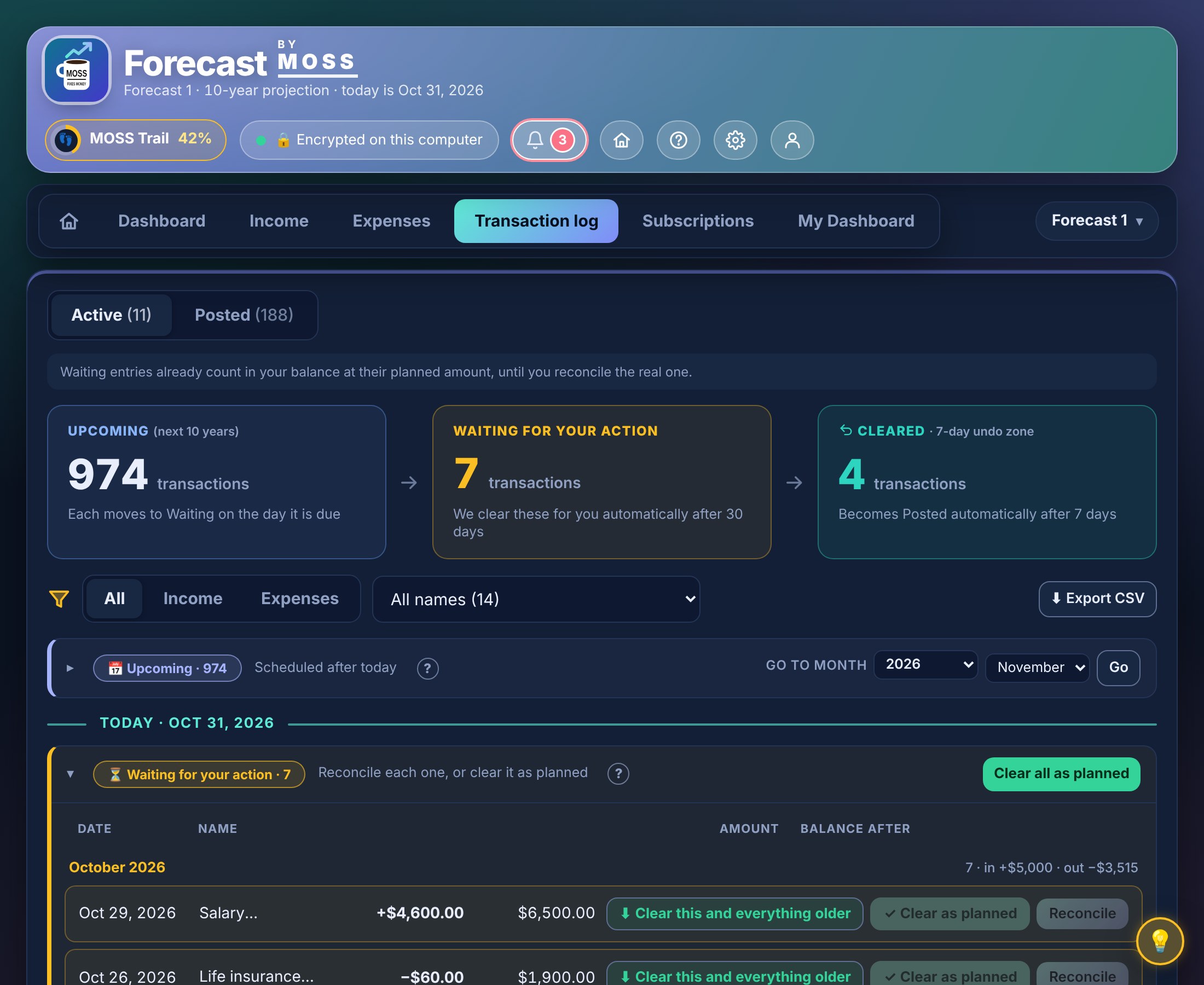
TRANSACTION LOG
See every payment before it hits
Every upcoming bill and paycheck, with its date and what your balance will be right after. Nothing surprises you, because you saw it coming.
BACKUP & RESTORE
Back up in one click, restore anytime
Keep a safe copy of your data, and get it back on a new device or after a mishap.
💾 Your backup is encrypted too
📦
One-click backupSave an encrypted copy of your data wherever you like, such as a USB stick or your own cloud drive.
🔑
Restore with your passwordChoose a backup, type your password, and everything is back.
🛟
Or with your recovery keyForgot your password? Your recovery key opens the backup, and you set a new password.
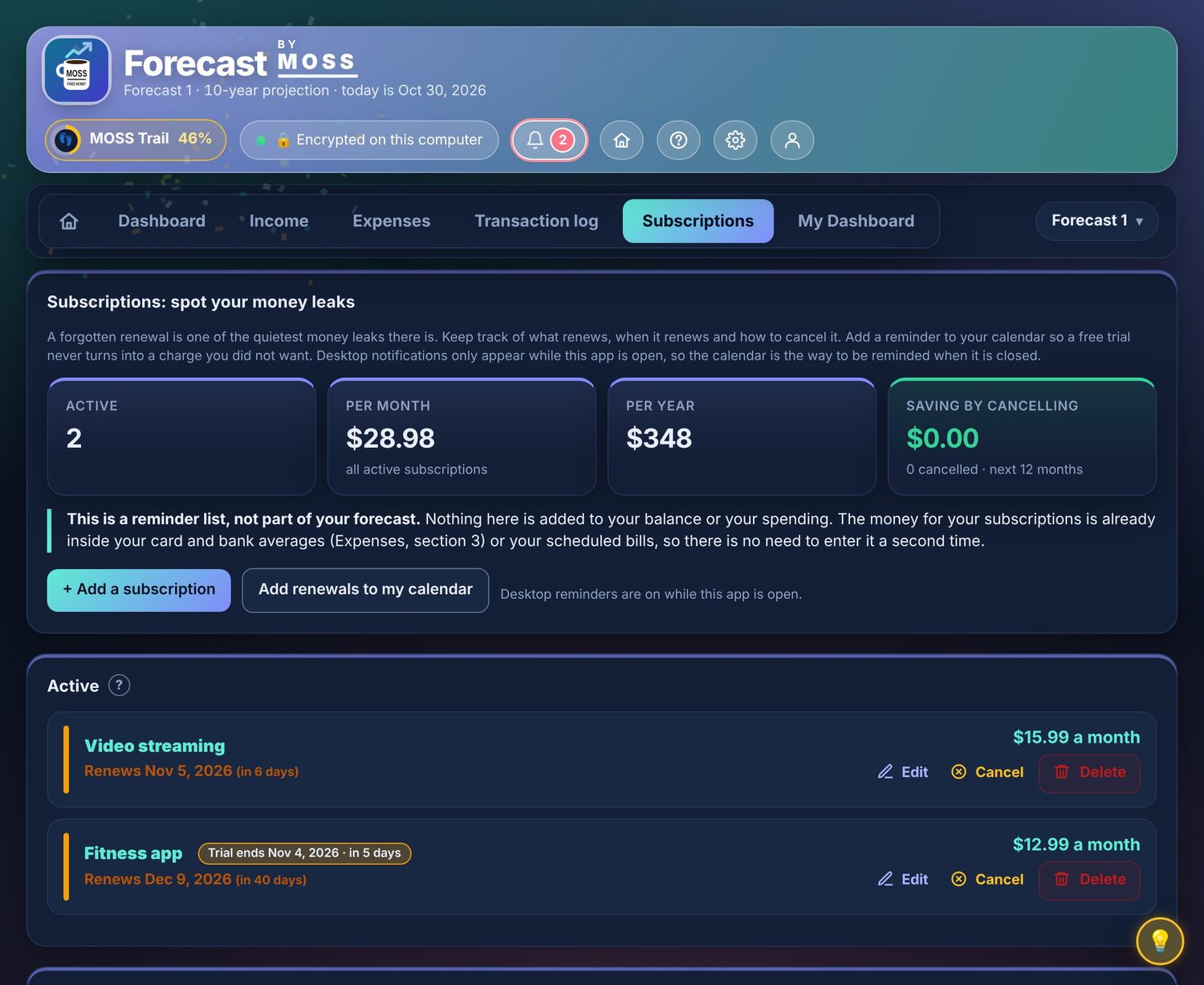
SUBSCRIPTIONS
Never pay for a forgotten trial again
Keep every subscription in one place, see what it costs per year, and get a reminder before it renews.
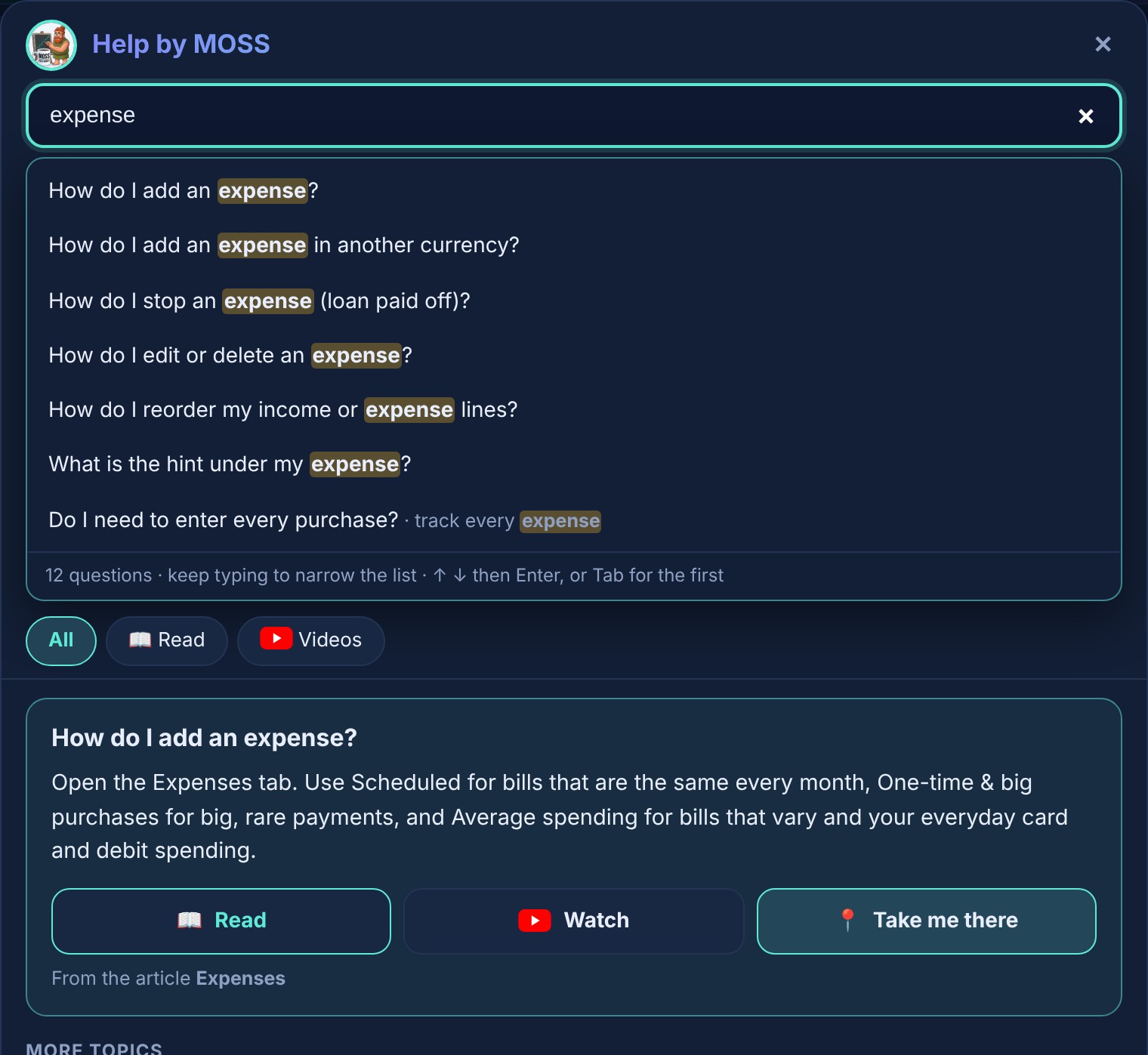
HELP WHEN YOU NEED IT
Powerful help, in your own words
Just start typing, in your own words. Over 1,000 search phrases connect what you type to the right answer, right on the screen you are using, each with a short how-to video.
Start free in the Sandbox, no account and no card needed. When you are ready, choose Web to plan from any device, or Windows to keep everything on your own computer. Premium Web includes a 7-day free trial; you create a free account to start it. Every plan is cancel-anytime, with a full refund within 7 days of any payment or renewal (the first Premium Web charge, after the free trial, has a 2-day window).
Tick Compare on any two plans and their differences pop up.
Online · Web app
$9.99 /mo
Billed monthly
Cash flow forecast, years ahead
What-if, low-balance warning, runway
Transaction log and reconcile
Subscription tracker and renewal reminders
Try it free in the Sandbox
Use it on any device: phone, tablet, PC
Online, encrypted on our servers
Customizable dashboard with 30+ powerful data insights and alerts
A second forecast to plan another scenario
7-day free trial of the full app
Backup and restore with encryption on your computer
Web or Windows? Each is bought separately, and your data does not move between them. Want the most privacy? Choose Windows: your numbers never leave your computer.
Questions
Does it connect to my bank?
No, never, on either version. There is no bank login; you type your own numbers in. On Windows they stay encrypted on your computer; on the Web they are encrypted on our servers. We never see or connect to your bank.
What is the difference between Windows and Web?
Windows keeps everything on your own computer, offline and fully private. Web keeps your encrypted data on our servers, so you can reach it from any device. Same forecasting either way: pick privacy with Windows, or go-anywhere convenience with the Web. Each is bought separately, and your data does not move between them.
Can I try it first?
Yes. The free Sandbox lets you play with made-up numbers right away, no account and no card, on both Windows and Web. And Premium Web comes with a 7-day free trial of the full app with your own numbers: you create an account and enter a card, nothing is charged for 7 days, and if you cancel before then you pay nothing. You can still ask for a full refund within 2 days of that first charge.
What if I forget my password?
Windows: your file is encrypted with your password and never leaves your computer, so no one, including us, can recover it. Keep your password and recovery key somewhere safe, like a password manager, and keep a backup.
Web: use the "Forgot password" link to reset it by email. Your forecasts are still there afterwards, because on the Web they are encrypted on our servers under keys we manage, not locked to your password. Turn on two-factor sign-in for extra protection.
Does it work on Mac or phone?
The Windows app is Windows only, but the Web app runs in any modern browser, so you can use Forecast by MOSS on a Mac, iPhone, Android, tablet or PC, and reach the same account from any of them.